How Law Firms Can Put Every Client Phone Call on the Case Record
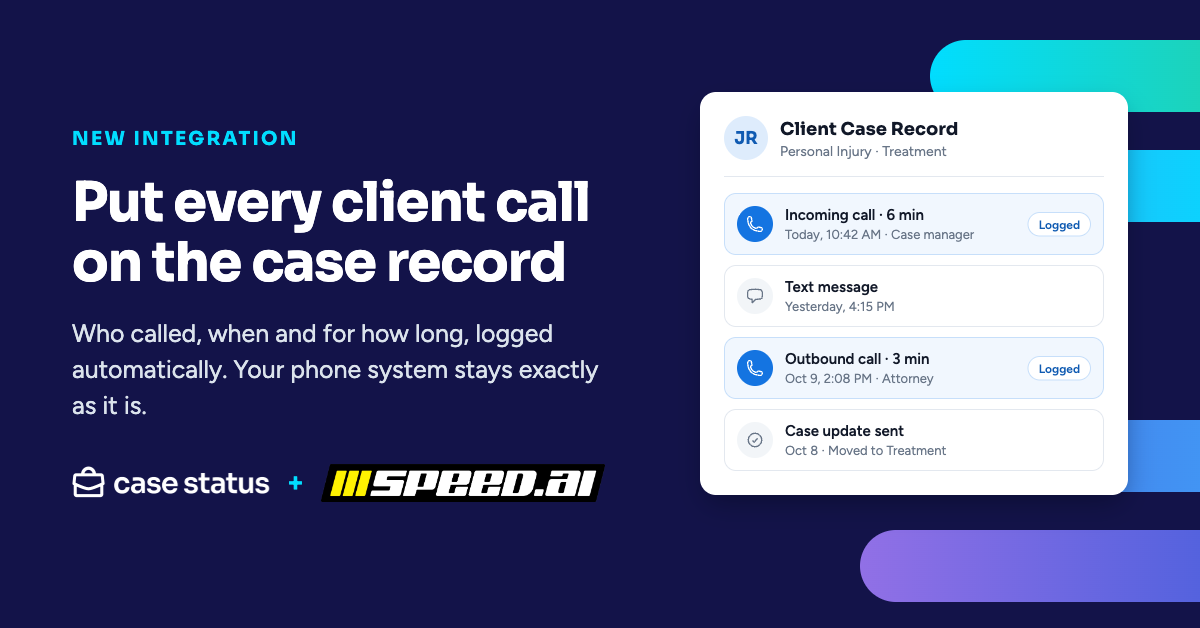
The short answer: Most client calls after intake never make it into the case file. Someone takes the call, handles it and moves on, and nobody else on the team knows it happened. With the Case Status® and Speed.ai integration, every client call lands on that client's case record automatically, with who called, when and for how long. Your phone system stays exactly as it is.
“Speed.ai made its name on lead rescue: making sure no caller who reaches out to a firm slips through the cracks. With Case Status, that same idea now carries past the signed retainer. Every client call lands on the case record, and that fuels the client intelligence™ firms need to spot a client who's reaching out and respond before a small worry turns into a lost relationship. We call it relationship rescue.”

Why do client phone calls go missing at law firms?
Calls are the one channel that leaves no trail by default. Texts and app messages sit in a thread. Documents sit in the file. Appointments sit on the calendar. But when a client calls a case manager to ask what's happening with their case, the record of that conversation lives in one person's memory, or in a note that may or may not get written.
That creates problems your team already feels:
- Nobody writes the note. The person who took the call meant to log it and got pulled into the next thing.
- Nobody else knows it happened. A paralegal follows up with a client who already talked to the attorney yesterday.
- Disputes come down to memory. When a client says "nobody called me back," there's no easy way to see what actually happened.
- Recordings sit unused. Many firms already record calls, but the recordings live in the phone system, where nobody working the case can find them.
None of this means your team isn't doing the work. It means the work isn't showing up where everyone else can see it.
What changes when calls land on the case record?
Calls show up in the same place as everything else about the client: texts, case updates, documents, checklist items and appointments. Notes get written without anyone writing them, the whole team can see who called, when and for how long, and disputes come down to the record instead of memory.
Because calls now sit with the rest of the client conversation, Case Status Client Intelligence can use them too. Triage, summaries, suggested responses and sentiment can account for what clients say on the phone, not just what they type.
Do we have to change phone systems?
No. Your numbers, routing, handsets and carrier stay the same. Speed.ai connects to 24 phone and call tracking platforms, including CallRail, RingCentral, Zoom Phone, Dialpad, Twilio and Five9, and has an open API for other systems. Your recording policy and consent practices stay in your phone system, unchanged. The integration only changes where calls show up afterward.
What does this look like at a real firm?
Ostroff Godshall Injury and Accident Lawyers runs its phones on Zoom Phone. With the integration turned on, the firm's client calls now flow through Speed.ai and land on client records in Case Status.
Speed.ai on intake has been a game changer for us. Rescuing leads gave us a peace of mind I can't even describe. Bringing those same calls into Case Status does the same thing for clients we've already signed. When someone calls, the call is on their record, so nobody is left wondering whether they got a call back.

How do Case Status and Speed.ai work together?
Speed.ai captures the voice and call data from your phone system. Case Status puts it on the right client's case record, next to every other conversation with that client.
How do we get started?
See it live at XOS Office Hours: Voice on Wednesday, October 14, at noon ET, with Speed.ai, Marina Bradley and Matt Agranat. Register at https://www.casestatus.com/events/xos-launch-office-hours. Learn more on the Case Status and Speed.ai integration page.


.png)